
Appearance
Favicon
The small icon that identifies your store in a browser tab, a bookmark and a phone home screen.
Open Theme settings → Favicon in the theme editor.
Preparing the image
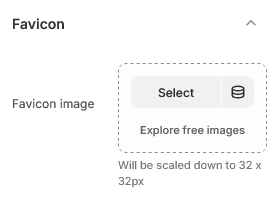
Upload a square image, at least 96 × 96 pixels. Shopify resizes it for you, so there is no need to produce the several sizes browsers historically wanted.
A PNG with a transparent background works best, because the icon sits on whatever color the browser chrome happens to be — a white background looks like a white square in dark mode.
What to put in it
Not your full logo. At the size a favicon is actually displayed, a wordmark becomes an unreadable smudge.
Use one element instead: an initial, a monogram, or the symbol from your logo with the words removed. Then check it at real size — shrink it to 32 pixels on your screen before uploading, and if you cannot tell what it is, simplify further.
After uploading
Browsers cache favicons aggressively. Yours may not appear straight away in a tab you already had open. Open the store in a new private window to see the current one.
| Setting | Type | Default | Notes |
|---|---|---|---|
| Favicon image | Image | — | Will be scaled down to 32 x 32px |