
Appearance
Related posts
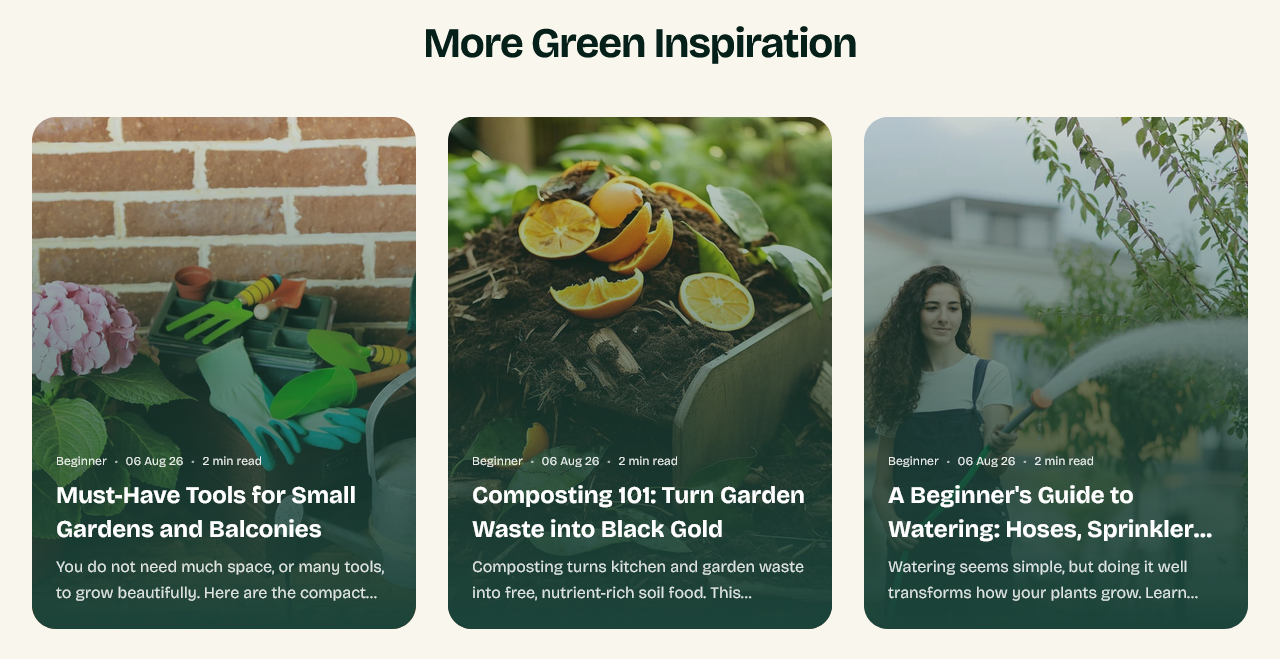
More reading at the end of an article, drawn from the same blog.
This section can only be added to an article template.
Setting it up
Heading, Posts to show, Columns (desktop) and Card shape.
The posts are chosen for you from the same blog as the one being read, so there is nothing to curate.
Show estimated read time adds a reading time to each card.
Why it matters more than it looks
A reader who reaches the bottom of an article has finished what they came for. Without something to go to next, that is where the visit ends.
This section is the cheapest way to turn one article into two, and a reader on their second article is far closer to buying than one who arrived cold.
Card shape
Card shape sets the image proportions for this section's cards, overriding the shape used elsewhere. Useful when the article page's column is narrower than the blog listing and the usual shape sits awkwardly.
Settings
Where it can be used
This section can only be added to the article template.
Section settings
Content
| Setting | Type | Default | Notes |
|---|---|---|---|
| Heading | Text | More Green Inspiration | — |
| Heading tag | Dropdown | H2 | Options: H2, H3 |
| Posts to show | Slider (2–4) | 3 | — |
| Columns (desktop) | Slider (2–4) | 3 | — |
| Card shape | Dropdown | Portrait | Options: Square, Portrait, Landscape |
| Show estimated read time | Checkbox | On | — |
Background
| Setting | Type | Default | Notes |
|---|---|---|---|
| Background | Color | — | — |
Padding
| Setting | Type | Default | Notes |
|---|---|---|---|
| Padding top | Number | — | Adjust the top padding for this section. If left empty, the global section padding will be used by default. |
| Padding bottom | Number | — | Adjust the bottom padding for this section. If left empty, the global section padding will be used by default. |