
Appearance
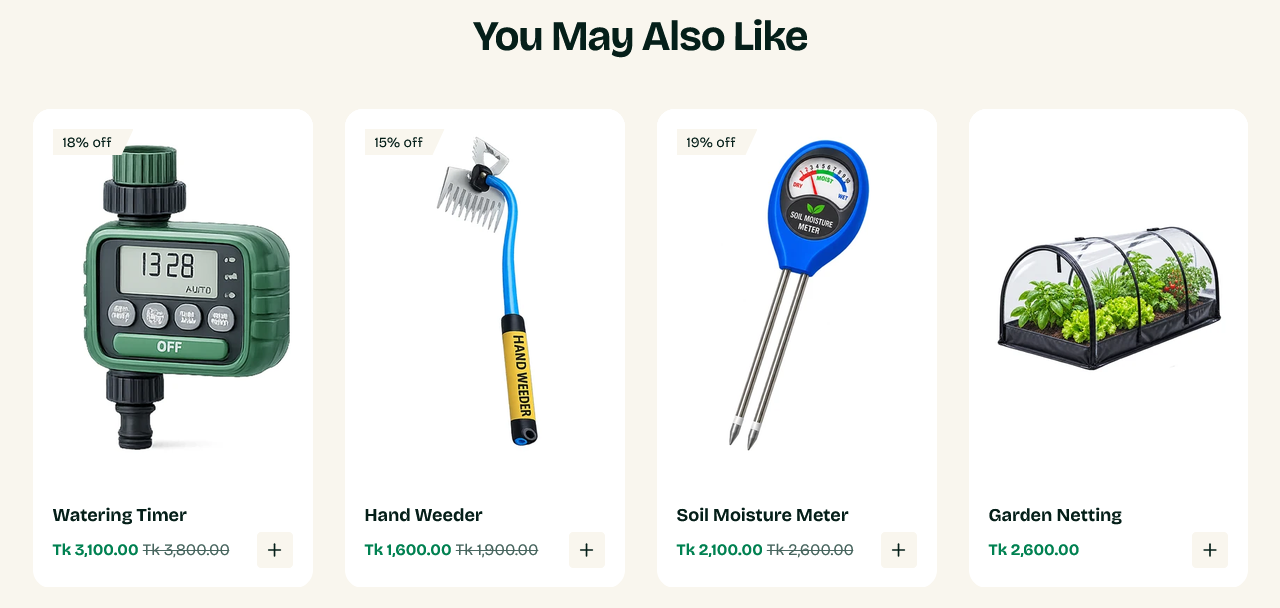
You may also like
Product recommendations, shown on a product page. Shopify picks the products; the theme displays them.
This section can only be added to a product template.
Setting it up
There is nothing to choose. Heading, Products count and Products per view are the whole configuration — the products themselves come from Shopify.
Where the recommendations come from
Shopify's recommendation engine, which combines what customers bought together, what they viewed together, and product similarity. It improves as the store accumulates orders.
On a new store with little order history, recommendations fall back to similarity within the product's collection. They will look thin at first and get better on their own.
When nothing appears
The section hides itself when Shopify returns no recommendations. Usually that means the store is new, or the product sits alone in its collection.
If you need control over what is shown, use Complementary products instead — those are pairings you set by hand.
Products per view
Sets how many are visible at once, with the rest reachable by scrolling sideways. Four suits a desktop row; the section adjusts down on narrower screens.
Settings
Where it can be used
This section can only be added to the product template.
Section settings
Background
| Setting | Type | Default | Notes |
|---|---|---|---|
| Background | Color | — | — |
Padding
| Setting | Type | Default | Notes |
|---|---|---|---|
| Padding top | Number | — | Adjust the top padding for this section. If left empty, the global section padding will be used by default. |
| Padding bottom | Number | 70 | Adjust the bottom padding for this section. If left empty, the global section padding will be used by default. |
| Heading | Text | You May Also Like | — |
| Products count | Slider (4–10) | 8 | — |
| Products per view | Slider (3–5) | 4 | — |