
Appearance
Quick view
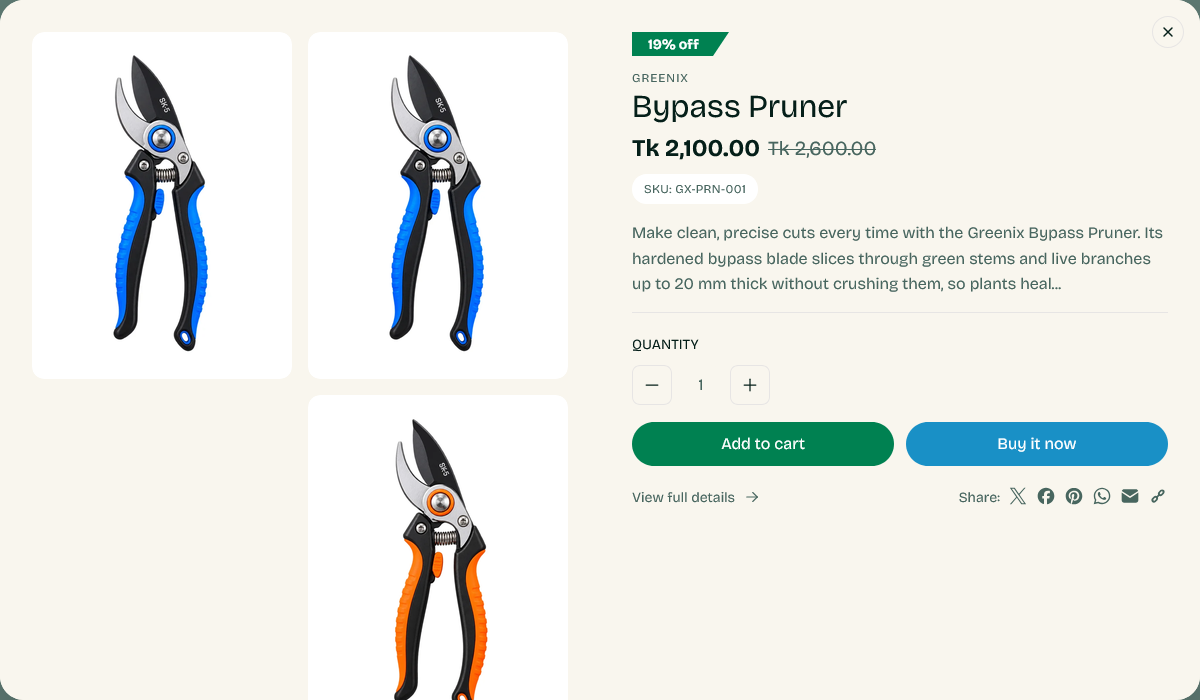
A modal that opens from a product card and shows the product's gallery, variants and add-to-cart button, without leaving the grid the customer is browsing.
Find it in the theme editor under Overlay group → Quick view.
Turning it on
The control lives on the product card, not here. Set Quick view button type under Theme settings → Product cards to choose how it appears, or to leave it off the card entirely.
What it shows
The same media gallery as the product page — photos, video, external video and 3D models — plus the price, variant selectors and add to cart. Selecting a variant updates the image and price exactly as it does on the product page.
Show share adds the sharing options configured under Social media.
Where it works
Anywhere a product card appears: collection pages, search results, and the sections that show products such as best sellers, recommendations and recently viewed.
When it helps and when it does not
Quick view suits browsing where the customer is comparing several similar items and wants to check a size or a color without losing their place in the grid.
It suits considered purchases less well. If your product page carries specifications, care guides and complementary products that a customer needs before deciding, sending them there is better than showing an abbreviated version. For that kind of catalog, turning the quick view button off on product cards is a reasonable choice.
Section settings
| Setting | Type | Default | Notes |
|---|---|---|---|
| Show share | Checkbox | On | — |