
Appearance
Best selling products
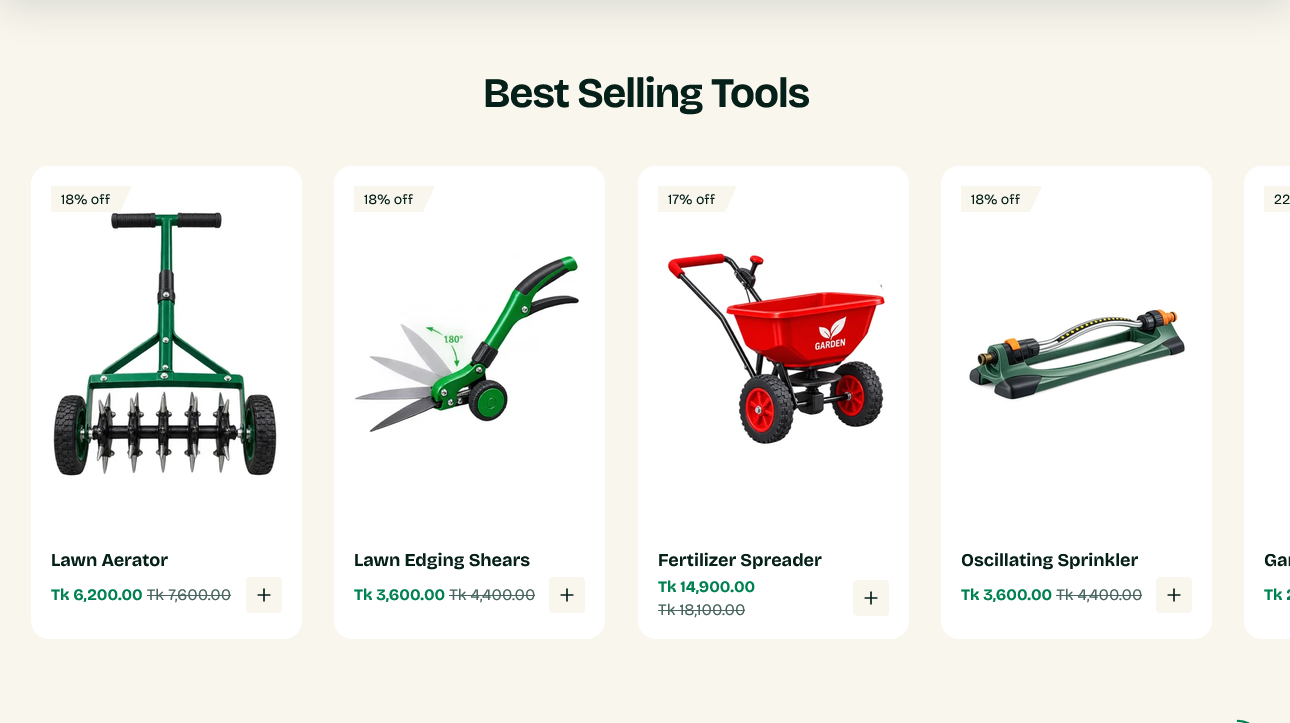
A grid of products from one collection, with a heading and an optional link through to the full collection.
Despite the name, it shows whichever collection you point it at — it is the general-purpose product grid.
Setting it up
Collection chooses the products. Products to show caps how many appear.
To make it genuinely show best sellers, create a collection and set its sort order to Best selling under Products → Collections → Sort in the admin. Shopify then keeps it current on its own, based on real order data.
Link label and Link URL add a link under the grid. Point it at the same collection so a visitor who wants more than the eight products shown has somewhere to go.
Heading
Subheading, Heading, Heading tag and Heading alignment cover the text above the grid.
Heading tag sets the HTML heading level. Leave it as it comes unless you have a reason — headings should descend in order down a page, and a page whose levels jump around reads oddly to screen readers and to search engines.
How the products look
Each product uses the shared product card, so image shape, hover behavior, swatches and badges all match every other grid in the store. There is nothing to configure per section.
Settings
Section settings
Background
| Setting | Type | Default | Notes |
|---|---|---|---|
| Background | Color | — | — |
Padding
| Setting | Type | Default | Notes |
|---|---|---|---|
| Padding top | Number | — | Adjust the top padding for this section. If left empty, the global section padding will be used by default. |
| Padding bottom | Number | — | Adjust the bottom padding for this section. If left empty, the global section padding will be used by default. |
Content
| Setting | Type | Default | Notes |
|---|---|---|---|
| Subheading | Text | — | — |
| Heading | Text | Best selling products | — |
| Heading tag | Dropdown | H2 | Options: H1, H2, H3 |
| Heading alignment | Dropdown | Center | Options: Left, Center, Right |
| Link label | Text | — | — |
| Link URL | Link | — | — |
Products
| Setting | Type | Default | Notes |
|---|---|---|---|
| Collection | Collection | — | Set the collection sort order to Best selling in the admin to feature top sellers. |
| Products to show | Slider (2–12) | 12 | — |
| Columns on desktop | Dropdown | 4 | Options: 3, 4, 5 |