
Appearance
Recently viewed
The products this visitor has already looked at, so they can get back to something they saw earlier without retracing their steps.
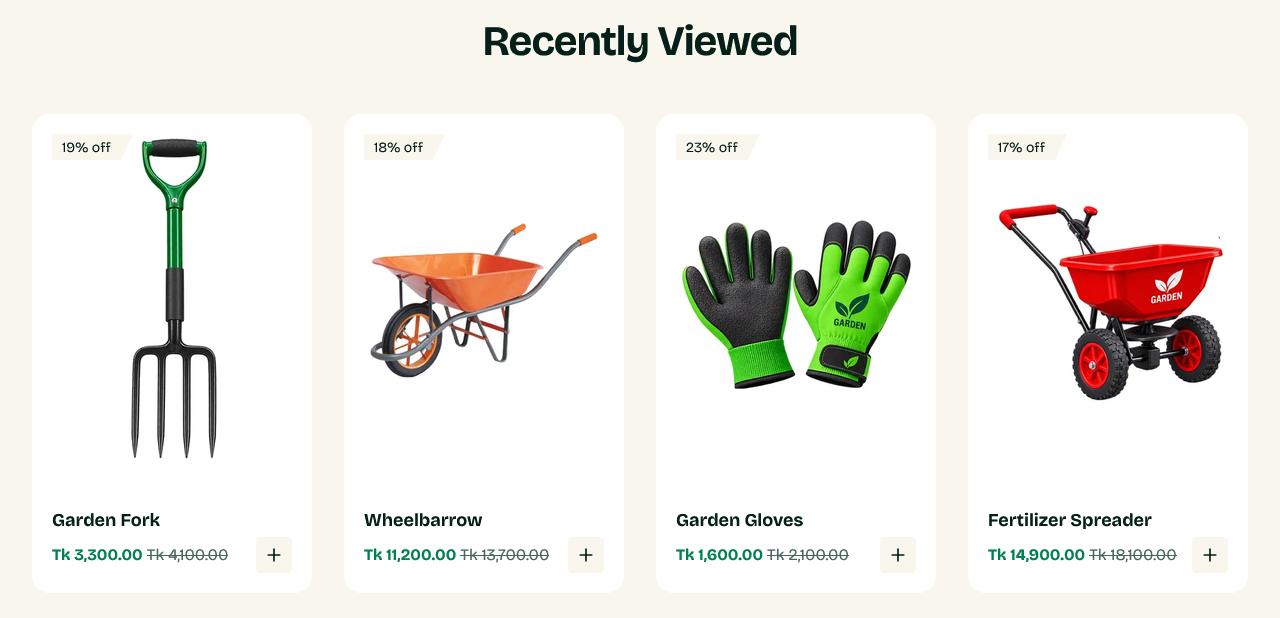
How it works
The list is kept in the visitor's own browser, not on your store. It is personal to them, needs no account, and is not something you can see or curate.
A first-time visitor with no history sees the Empty state text instead, or nothing at all if you leave it blank.
Setting it up
Heading, Empty state text and Products per view (desktop) are the whole configuration.
There is no products count — the list is however many products the visitor has viewed, up to a limit the theme sets.
Where to put it
Near the bottom of a page. It is a safety net for someone who is comparing options, not a section to lead with.
Product and collection pages are the natural homes, and Greenix ships it on both. It is also worth adding to the cart page, where a customer reviewing their order may want to reconsider something they passed over.
Testing it
Browse a few products in the storefront first — with an empty history the section has nothing to show, which can look like it is broken.
Settings
Section settings
Background
| Setting | Type | Default | Notes |
|---|---|---|---|
| Background | Color | — | — |
Padding
| Setting | Type | Default | Notes |
|---|---|---|---|
| Padding top | Number | 0 | Adjust the top padding for this section. If left empty, the global section padding will be used by default. |
| Padding bottom | Number | 60 | Adjust the bottom padding for this section. If left empty, the global section padding will be used by default. |
| Heading | Text | Recently Viewed | — |
| Empty state text | Text | No recently viewed products yet. | — |
| Products per view (desktop) | Slider (3–5) | 4 | — |