
Appearance
Footer
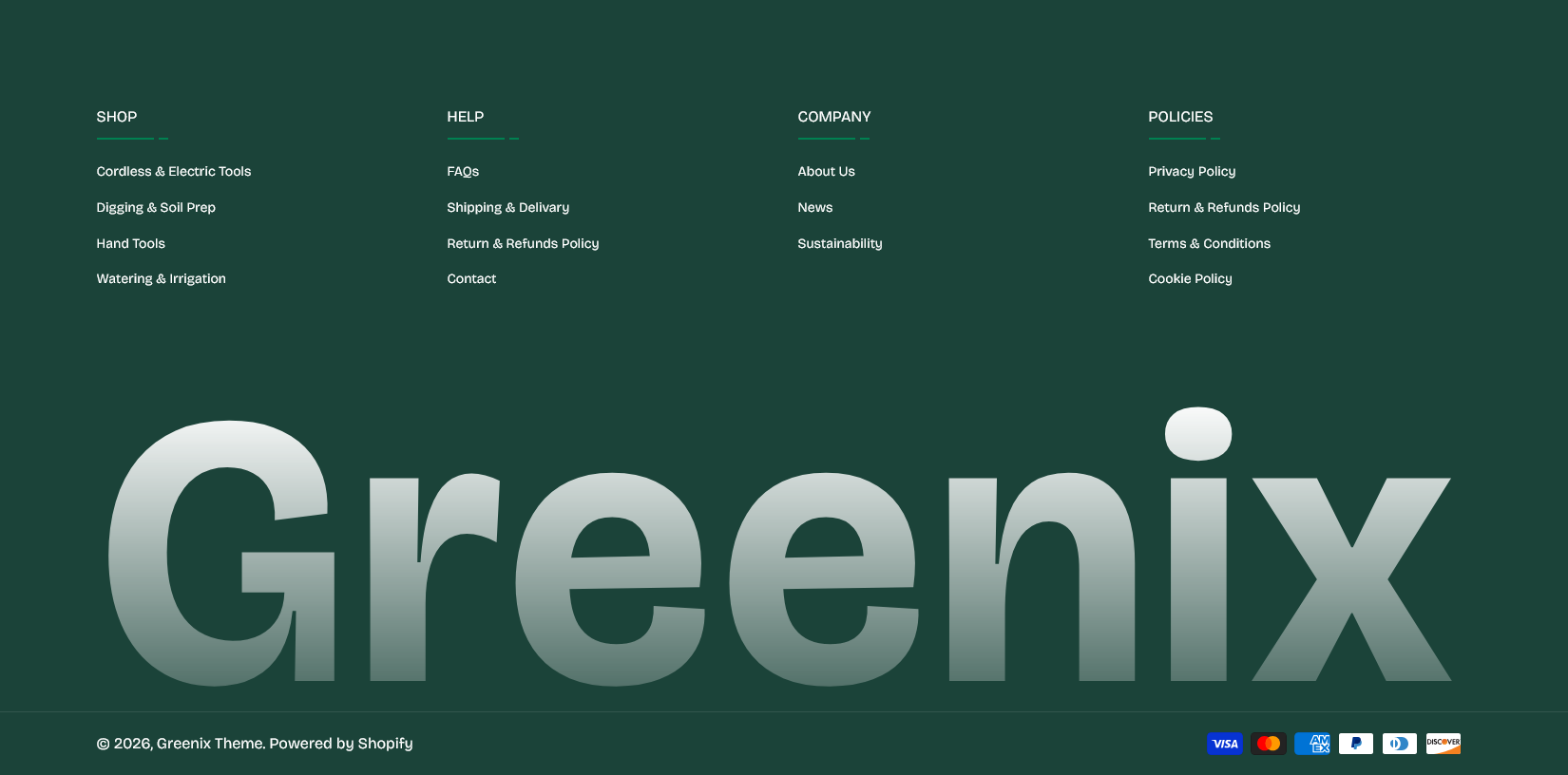
The footer is built from blocks, so its columns are yours to arrange. Add the ones you need, drag them into order, and leave out the rest.
Find it in the theme editor under Footer in the left sidebar.
Block types
| Block | What it holds |
|---|---|
| About column | A logo and a short description of the store |
| Links column | A heading and one of your menus |
| Newsletter | Heading, text and a signup form |
| A heading, handle and a grid of posts |
You can add more than one Links column — that is how you get separate groups for, say, Shop, Help and Company. Each takes its own menu, built under Content → Menus in the admin.
Instagram block
The posts are added by hand rather than pulled from Instagram. Each Instagram post child block takes an image or a video and a link.
This means the grid does not update itself when you post, but it also means it never breaks when Instagram changes its API, needs no app, and lets you choose which posts represent the store. Refresh it when you refresh your campaigns.
Grid columns sets how many appear per row.
Wordmark
Show large wordmark prints oversized text across the bottom of the footer — the store name, typically. Wordmark text sets the wording; leave it blank and the theme uses your store name.
The text scales to fill the width, so a longer wordmark renders smaller rather than wrapping.
Payment icons
Show payment icons displays the payment methods your store accepts. The list is drawn from your actual payment settings, so there is nothing to maintain here — enabling a new provider in the admin adds its icon automatically.
Bottom bar
Copyright text is appended after the year and store name, which the theme adds for you. Write All rights reserved. rather than repeating the year.
Copyright top and bottom spacing adjusts the space around that line.
Colors
Background color overrides the color scheme for the footer. A footer set apart from the page above it is a common and effective choice; leave it blank to follow the scheme instead.
Section settings
Footer settings
| Setting | Type | Default | Notes |
|---|---|---|---|
| Background color | Color | — | — |
Wordmark
| Setting | Type | Default | Notes |
|---|---|---|---|
| Show large wordmark | Checkbox | On | — |
| Wordmark text | Text | — | Leave empty to use the store name. |
Payment icons
| Setting | Type | Default | Notes |
|---|---|---|---|
| Show payment icons | Checkbox | On | — |
Bottom bar
| Setting | Type | Default | Notes |
|---|---|---|---|
| Copyright text | Multi-line text | All rights reserved. | — |
| Copyright top and bottom spacing | Slider (10–60 px) | 20 | — |
Blocks
About column
| Setting | Type | Default | Notes |
|---|---|---|---|
| Logo | Image | — | — |
| Description | Multi-line text | Share a short description of your store — what you sell a… | — |
Links column
| Setting | Type | Default | Notes |
|---|---|---|---|
| Column heading | Text | Quick Links | — |
| Navigation | Menu | footer | — |
Newsletter
| Setting | Type | Default | Notes |
|---|---|---|---|
| Heading | Text | Stay in touch | — |
| Contact info | Text | Subscribe to get special offers and updates. | — |
| Show newsletter form | Checkbox | On | — |
| Button label | Text | Subscribe | — |
Instagram
| Setting | Type | Default | Notes |
|---|---|---|---|
| Heading | Text | Follow us on Instagram | — |
| Handle | Text | — | — |
| Instagram URL | Link | — | — |
| Grid columns | Dropdown | 3 | Options: 2, 3, 4 |
Instagram post
| Setting | Type | Default | Notes |
|---|---|---|---|
| Post image | Image | — | — |
| Post video | Video | — | — |
| Post link | Link | — | — |